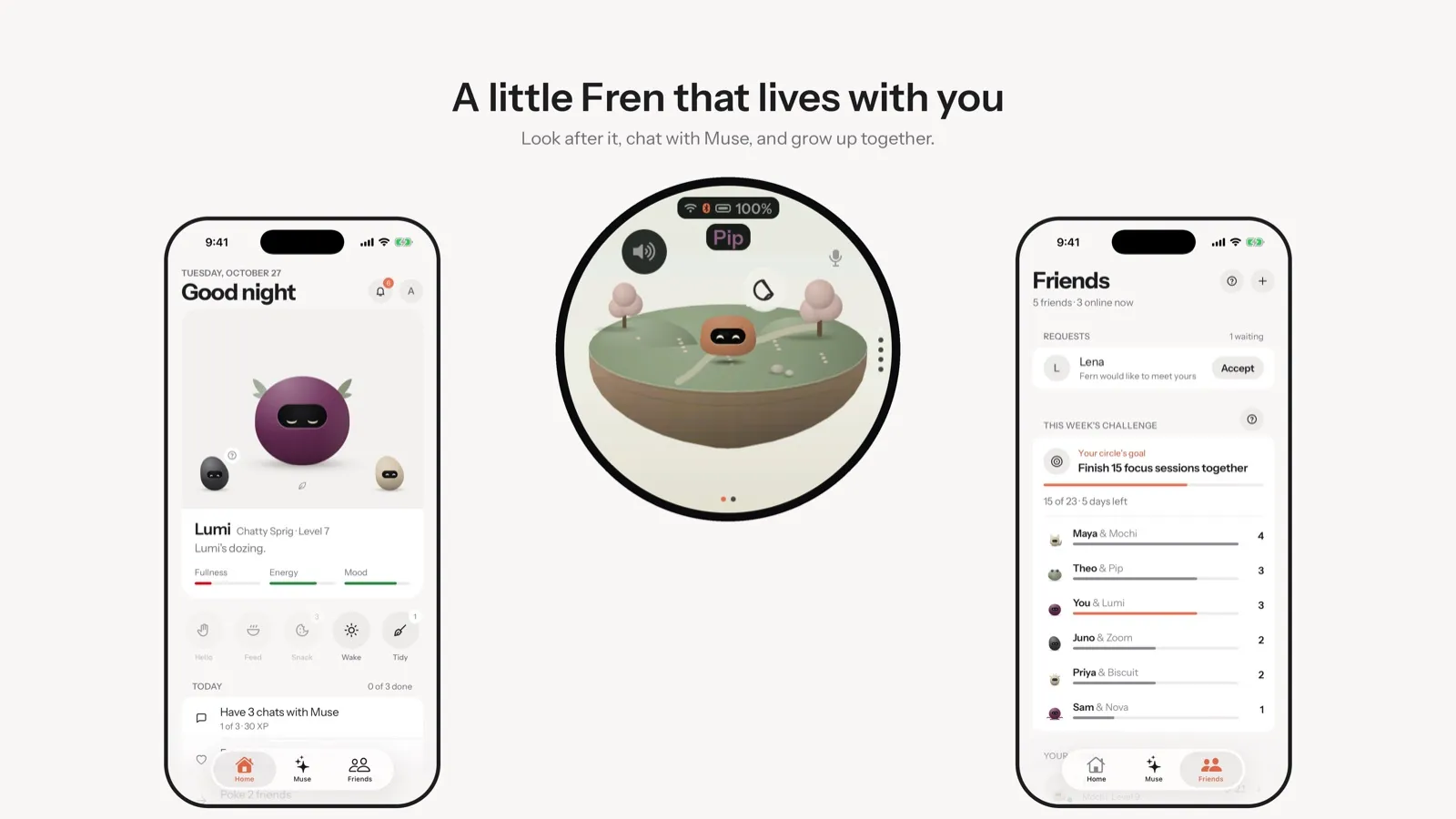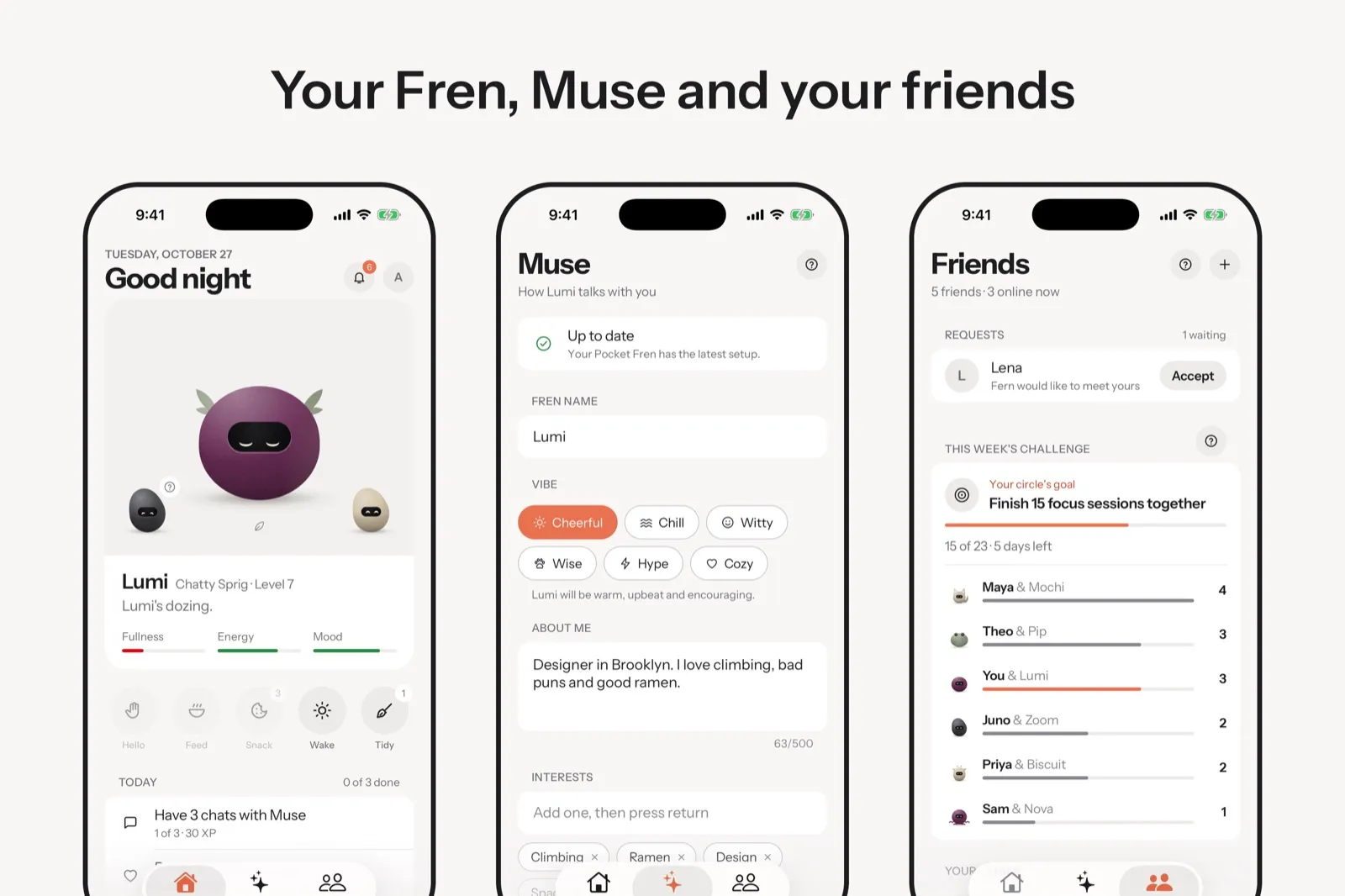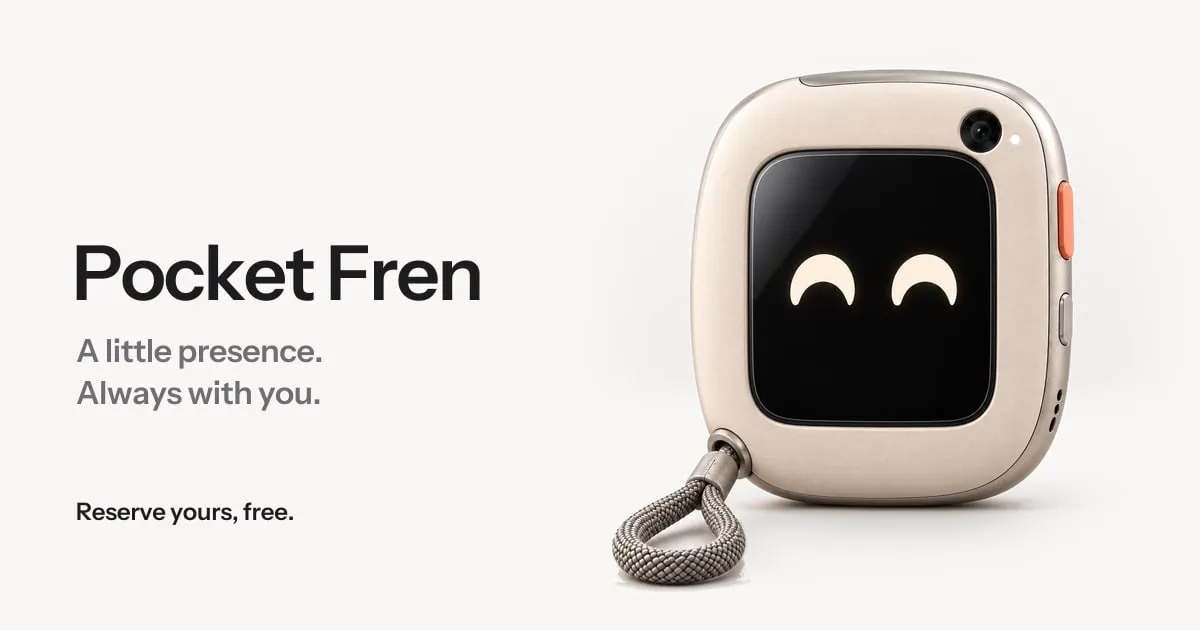
Pocket Frens, by AirFrens, is a small pocket companion for grown-ups with a creature called a Fren living behind the glass. It keeps your circle close, sends nudges, sits with you through focus sessions, runs daily rituals and lets you talk to Muse, Meta's AI assistant, at the press of a button. The free iPhone app has been on the App Store since November 11, 2026, and works with or without the device. The device itself is open for free reservations; the site says the price will be announced soon and the photos show a design concept.
The problem
Pocket Frens is by AirFrens. The site sets the brief in its own words: a small companion that “keeps your people close, keeps you on task, and has opinions about both”, for grown-ups, with “no feeds to scroll, no badges to clear.”
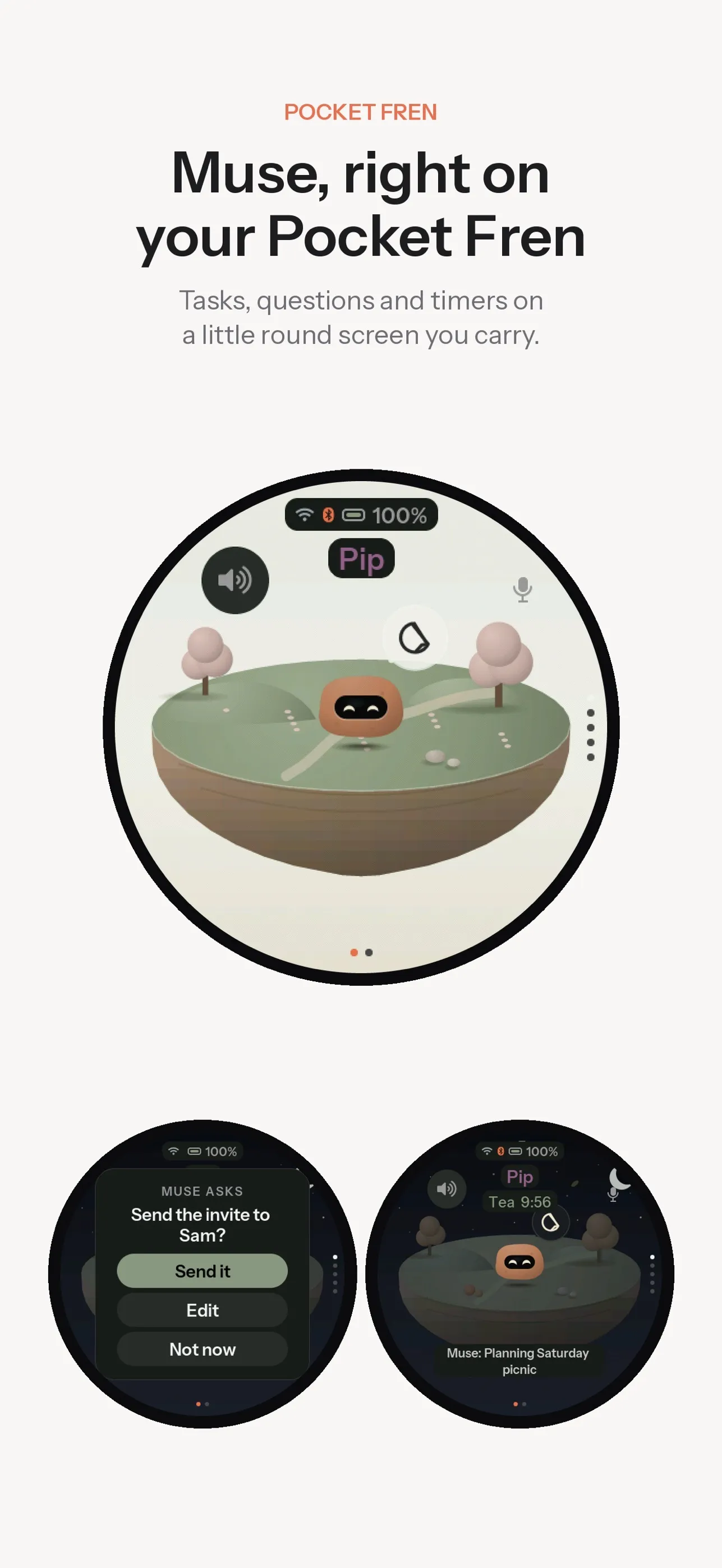
Muse, Meta’s AI assistant, can already talk through small gadgets built on Meta’s open-source Muse Gadget SDK. Pocket Frens builds a companion around it: a creature that reflects how you use your assistant and lights up when friends’ devices are nearby.
What we built
A Fren lives behind the glass, in a world that keeps your local time, changes with the seasons and rains when it rains outside. It levels up from real life: a chat with Muse, a finished focus session, a ritual kept, a friend met. At level five it becomes one of 44 animals. It never dies. Ignore it and it wanders off to a friend’s world until you check in.
Pocket Frens find each other over Bluetooth. You can send a wave, a hug or a note of up to 120 characters, start a focus session, and set up rituals like a morning briefing read out loud. Hold the button to ask Muse something. It checks with you before it does anything on your behalf.
The free iPhone app sets up the device over Bluetooth and Wi-Fi, hatches your Fren and guides the one-time pairing with the Muse app. It has widgets and Live Activities, and comes in 11 languages. The latest version lets you start without a device: hatch a Fren that lives in the app and move it onto a Pocket Fren later.
pocketfrens.com takes free reservations, up to three per person, confirmed by email. A staff console covers the fleet, firmware releases and reservations, with staff roles and an audit log.
How we built it
The software lives in one repository. The firmware is a fork of Meta’s SDK, running on a prototype board with a round AMOLED screen. Our code sits in its own component, with 108 marked hooks across 25 upstream files, so a newer upstream can be merged. The API is a Cloudflare Worker (Hono, zod, Drizzle) on Neon Postgres, tested against PGlite. A shared protocol package defines every API body and Bluetooth message, and the firmware mirrors it in C. The site is drawn with the app’s own Fren art at build time.
The work was done with Claude Code: 230 of the 265 commits on main carry a Claude co-author trailer. Design decisions, the wire protocol, hosting and secrets are written down in the repo’s docs folder.
The device hardware has its own repository. The enclosure is generated in FreeCAD from Python build scripts, through five versions. Every build checks that the parts are valid solids and don’t collide. The main board is generated with KiCad from a Python circuit description. Its second revision passes electrical and design rule checks with zero violations. A third repository holds a Unity 6 stage, where your Fren and your friends’ Frens live on small 3D worlds, with a bridge to the React Native app.
What was hard
Talking to Muse without holding Meta’s keys. A device can only reach Muse with a pairing that the official Muse app makes. So every Pocket Fren is paired once with the Muse app during setup. Our app guides that step and never handles Meta credentials.
Fitting in memory. On this board, the chip’s internal memory is the tight limit. The Fren’s interface lives in external PSRAM and its state is saved in batched writes. With Pocket Frens running, free internal RAM stays at or above the stock firmware’s, about 44 KB.
Updates nobody else can push. The SDK’s upstream signing key is public. Pocket Frens firmware is signed with its own key and served from R2, and images signed with the upstream key are refused. An update never starts during a turn with Muse, and a version that failed twice isn’t offered again.
Finding friends without tracking anyone. Each device advertises an ID that changes every 15 minutes and scans in short bursts. The API matches the sightings, so friends get a playdate and two strangers who are both discoverable get a “crossed paths” card.
Moving house. The product began as Charm on airfrens.com hosts. Devices keep the API address they were claimed with, so the old hosts still answer next to pocketfrens.com.
By the numbers
- 265 commits on main from October 24 to November 11, 2026; 230 with Claude as co-author
- 46 pull requests opened, 30 merged
- 17 days from the first commit to the App Store release on November 11
- App version 1.1.3 and firmware 0.3.36, after 28 firmware version bumps
- 81 TypeScript test files (50 for the API) and 36 database migrations
- 11 app languages, 44 animals, 3 world types
- 5 enclosure versions and 2 main-board designs
Where it is now
The iPhone app is free on the App Store at version 1.1.3, and works without a device through a Fren that lives in the app or a demo with a simulated Pocket Fren. The device is open for free reservations. The site says the price will be announced soon, Android is coming soon, and the photos show a design concept.
Open work in the repos: a pull request to bring the Unity stage into the app, and a production checklist for the custom board that lists the display panel drawing and certification testing still to do.